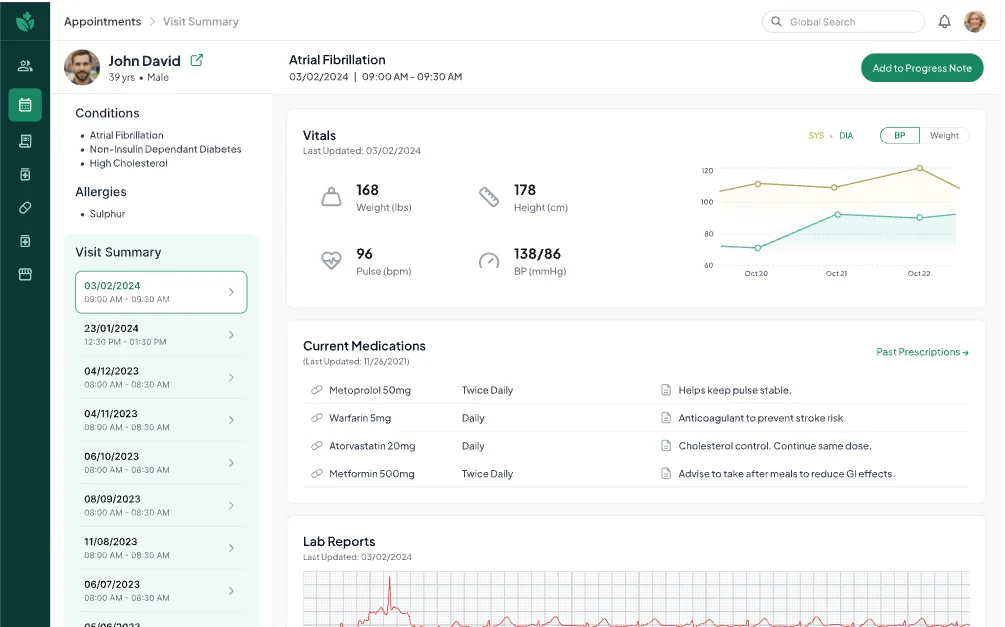
Visit summary
History, vitals and medications at a glance.
Everything a doctor needs before they walk in, on one screen. No switching between tabs.

A cloud health-record system for urgent-care centres. We redesigned how doctors review a patient and write up a visit.
The brief
mCare runs patient intake, charting, billing and reporting for urgent-care centres.
It also checks insurance in real time, sends e-prescriptions and handles lab and radiology orders. Our job was the doctor’s side: make it faster and calmer to use.
The problem
Our goal: one calm flow that cuts data entry, so doctors can focus on the person in front of them.
How we worked
Stakeholder interviews, user pain points, journey maps and a competitor review.
Pain points, goals, user flows and information architecture.
Concepts, each checked with clinical experts and stakeholders.
Sketches, wireframes, then the interface.
Usability testing, then another round of changes.
Research
We interviewed the client and clinical experts, then watched doctors at work.
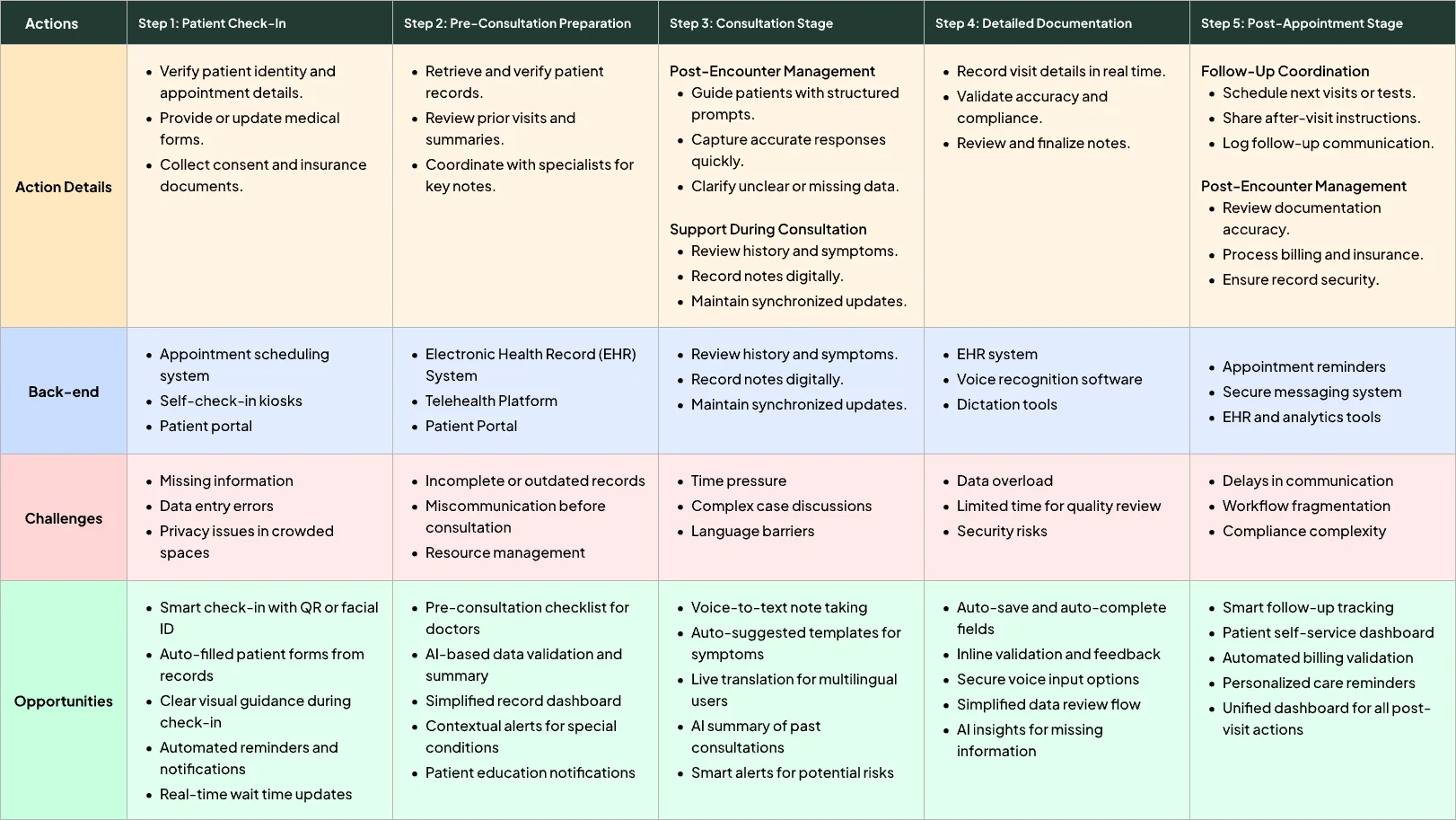
Every frustration went onto one journey map, in five stages from patient check-in to follow-up. Each stage lists what the doctor does, the systems behind it, what goes wrong and where design can help.
Competitors
All four bury key details or make doctors switch screens.
None of them captures what the patient says during the visit. That gap became mCare’s biggest opportunity.
| Feature | Epic | Cerner (Oracle Health) | athenahealth | eClinicalWorks |
|---|---|---|---|---|
| Data organisation | Lots of data, spread across many tabs | Key data is there, cluttered with secondary detail | Simple, but little depth | Basic, with little visualisation |
| Clinical efficiency | Hard to find critical details quickly | No real-time updates, unclear layout | Frequent screen switching | No comparison over time |
| Captures what the patient says | None | None | None | None |
| Patient input | Entered by hand after the visit | Driven by the provider, little automation | Portal updates don’t flow in | Static, needs staff review |
| AI and automation | None | Basic rule-based automation | None | None |
| Effect on the doctor | Heavy mental load | Tiring context switching | Easy for basic tasks | Disconnected flow |
| Main pain point | Scattered information, slow | Data overload, weak hierarchy | Little context in view | Little context in view |
Opportunity
Doctors lose time clicking through tabs. None of the four shows one unified view.
Opportunity
Writing up takes longer than the visit. None of the four captures the conversation.
Opportunity
Doctors can’t easily see a patient’s progress. Most offer only basic views.
Opportunity
Portal data doesn’t flow into the record. Updates arrive late, if at all.
Structure
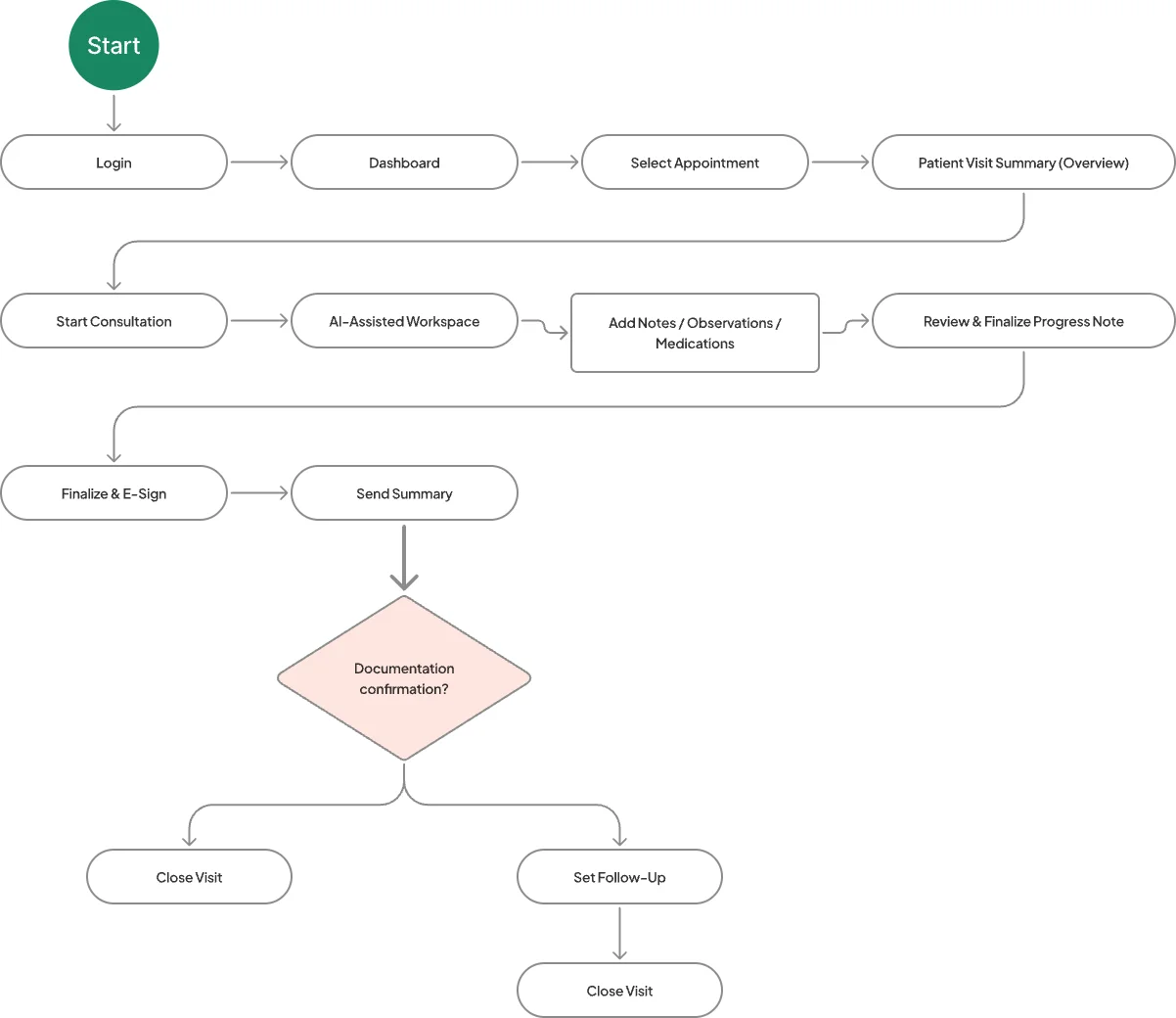
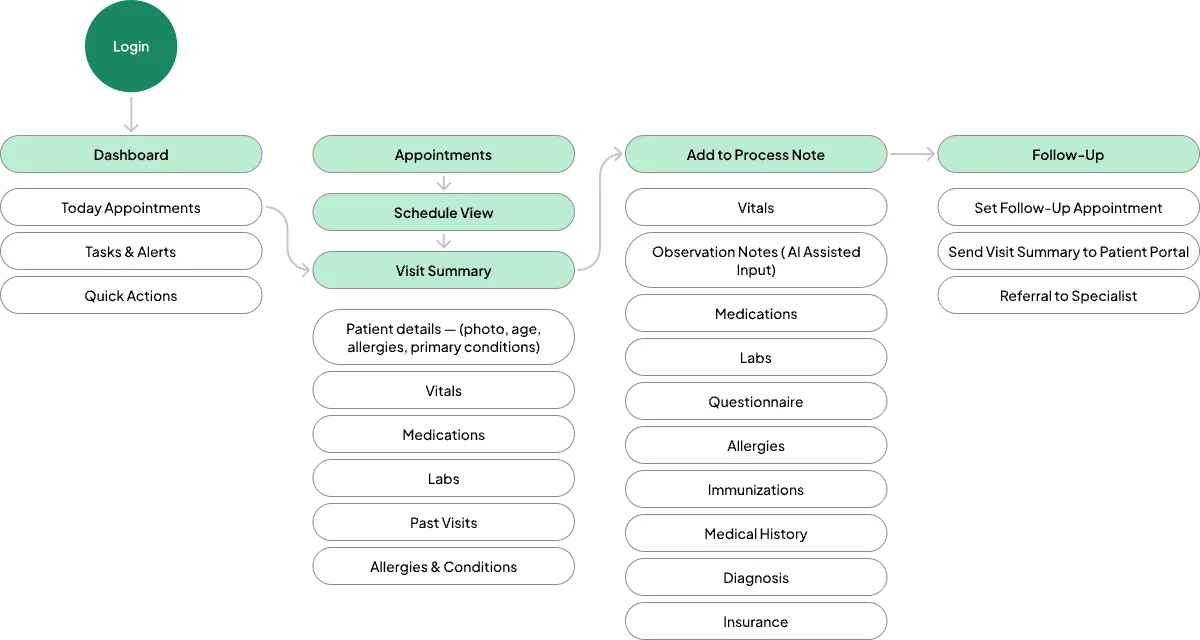
The doctor opens the visit summary, starts the consultation and lets the workspace draft the note.
Then they review it, sign, send the summary and set a follow-up if needed.
Wireframes
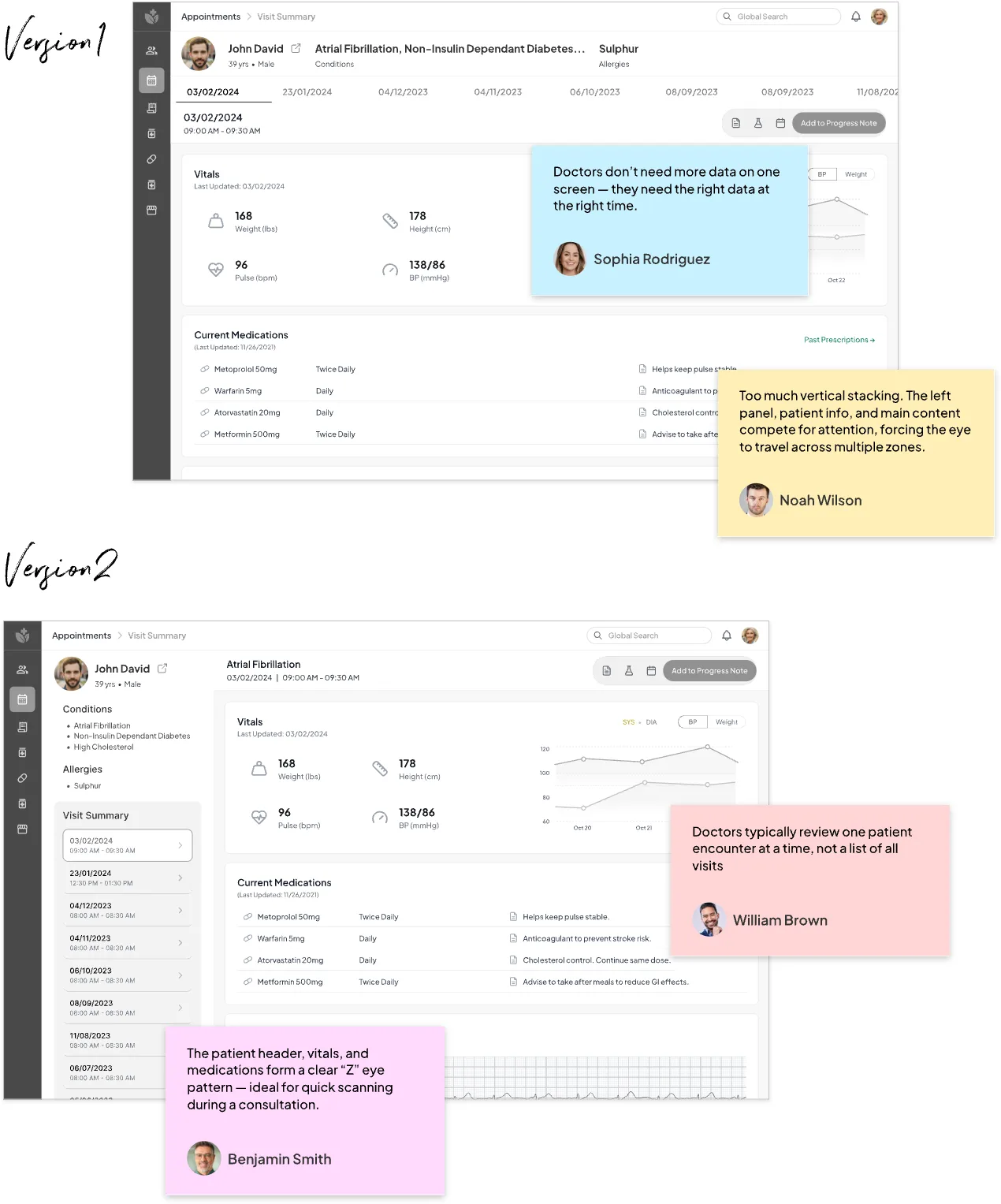
Version 1 stacked everything, so the eye jumped between zones.
Version 2 puts the patient, vitals and medications in a Z pattern a doctor can scan mid-consultation, and shows one visit at a time.
Final design
History, vitals and medications at a glance.
Everything a doctor needs before they walk in, on one screen. No switching between tabs.
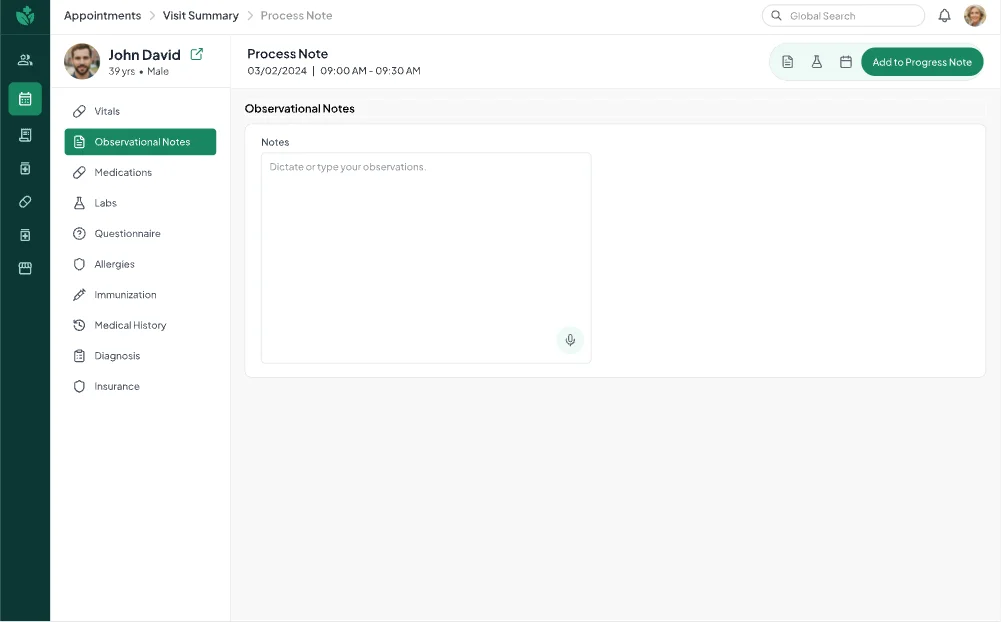
Talk, don’t type.
The AI-assisted workspace listens to the consultation and drafts an editable note as it happens.
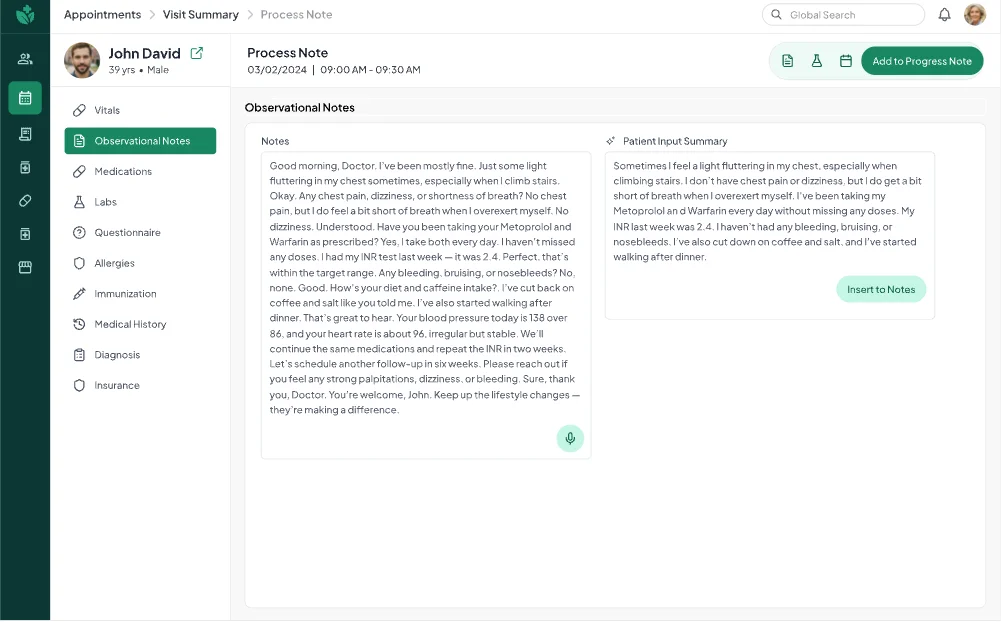
The patient’s own words, summarised.
AI sums up what the patient said. The doctor checks and edits it, then adds it to the note in one tap.
Before, a visit meant many clicks across separate screens. Now it’s one continuous flow.
AI-assisted notes and a single path between the visit summary and the process note take typing off the doctor’s plate.
Idea → launch
A new website, app or brand, or designers to join your team. Tell us what you need and we’ll reply within 24 hours on working days.